
Author note: this one is more technical than usual, and it’s written mostly because it took me a long time to figure out, and none of the other information on the Internet solved this, so I’m writing this down for next time it happens and I need to fix it again.
Many years ago, in the early days of iTunes and digital media players, I spent a long time “ripping” my CD collection to digital files so I could load them onto my iPod. Gradually over the years the media world shifted, digital purchases became better quality, music subscriptions became available, and the need to rip a CD to a digital file for casual listening fell by the wayside.
But with the rising cost of *gestures* everything these days, including subscription services, plus the slow disappearance of some digital content from those subscription services, I have started to rebuild my physical media collection again, including CDs.
In the intervening years, most computer makers have removed optical drives from PCs, and I’ve upgraded a few times since the last CD rip, so now I use an external CD/DVD/Bluray drive connected over USB to access physical media. A few years ago, I tried to rip a live concert CD from my favorite band, and despite many attempts using different types of software, I was never able to generate the digital files to add to my iTunes library. (Yes, I still use iTunes for my digital music library.)
This week, I decided to try again, and I was determined to get this working. The drive was visible in Windows, I could play CDs and movies in other programs, so WHY couldn’t I rip my CDs for iTunes? Even more confusing, even though iTunes could not see the CD drive, the overly complex Exact Audio Copy program could, but the ripping process with EAC was much more time consuming and complex than I needed.
A little more poking around, and I remembered that in order to use my video program, I have to “Run as administrator” on that program so it can see the disc in the drive. I grabbed a free MP3 ripping application, launched it as normal, and confirmed: just like iTunes and my movie program, it can’t see the disc. But when I closed the application and re-opened using the “Run as administrator” option, it was able to read the contents of the disc!
After a lot of deep digging, including into the depths of my memory of my days supporting Windows desktop PCs at work, I was able to narrow this down to an issue specifically related to the fact this is an external USB CD/DVD drive. Because the drive is plugged into USB, that means Windows identifies it as a “Removable Storage Device” even though it shows up as a “DVD/CD-ROM Drive” in the Device Manager. Removable Storage Devices behave a little bit differently, because they are removable, and most importantly, they also have slightly different security access protocols, because they have the potential to offload local data to portable storage. (And also because in some ways, Windows is very stupid.)
More digging around on the Internet, and all the solutions are about corrupted iTunes installations, or problems with the drivers for the CD/DVD drive, neither of which applied here. Knowing that in past work tasks we’ve used Group Policy to block access to portable media, I went digging some more. And I found it.
Deep in Group Policy, under Local Computer Policy > Administrative Templates > System is a whole section for Removable Storage Access. Including denying access to the CD/DVD drive under a variety of circumstances. When these are set to “Not configured” which is the default setting, they can actually apply and block access when circumstances are met. Because this is my personal PC, and I always want to be able to access those drives, I set the configuration for every one of the entries to “Disabled” to turn the Deny policy off. Then rebooted, and tested again.
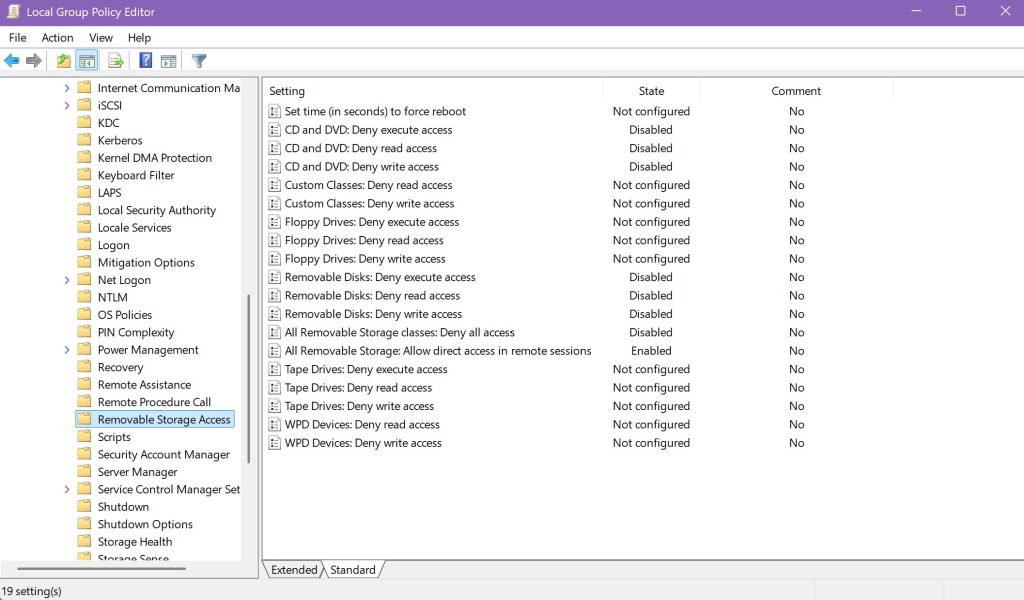
Because I have one more unique situation with my setup, I had to make one more change: I access my main PC using a Remote Desktop session from a lightweight tablet device, so I had to set the option to Allow direct access in remote sessions to Enabled, and reboot again, before it worked.
With the Removable Storage Access settings updated, I was able to launch my test MP3 ripping program as normal, and access the CD. Then I launched iTunes, and it was also able to access the CD. So I quickly set about loading up my favorite band’s live concert album, and ripping it into my iTunes library using the Import CD option
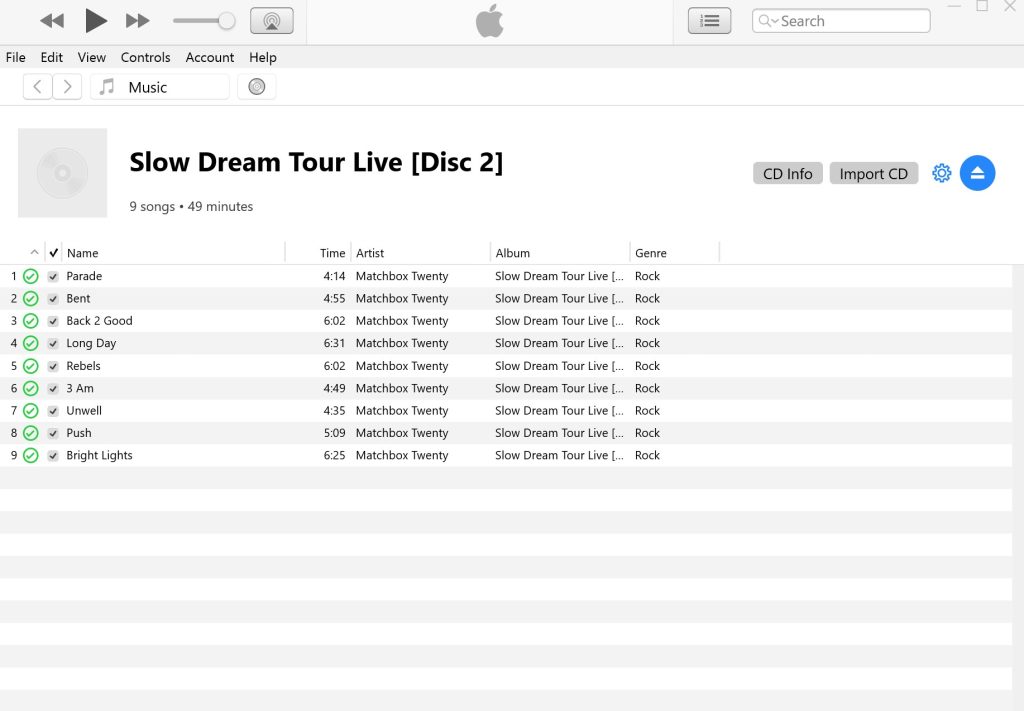
I did run into one more annoying little glitch: when iTunes uploaded the ripped tracks to my Apple Music library using iTunes Match, the album information did not exactly match an album in the Apple Music catalog, so it pulled in some really random cover art for the two discs:
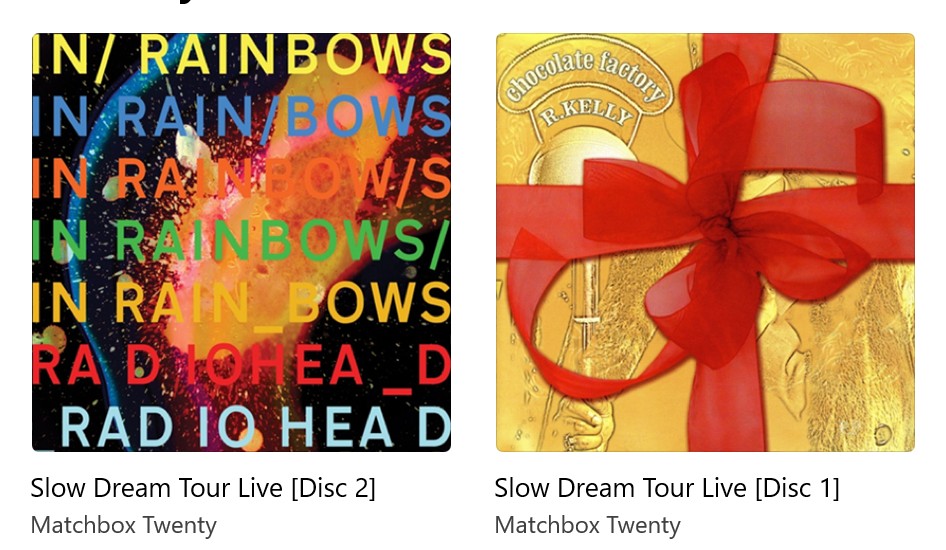
I don’t even know how it connected those. Luckily, it was a fairly easy fix: edit the album information for both discs to remove the cover art, remove the [Disc #] from the album title so they correctly consolidated into a 2-disc set, then find the correct cover art on the Internet and add it to the album.
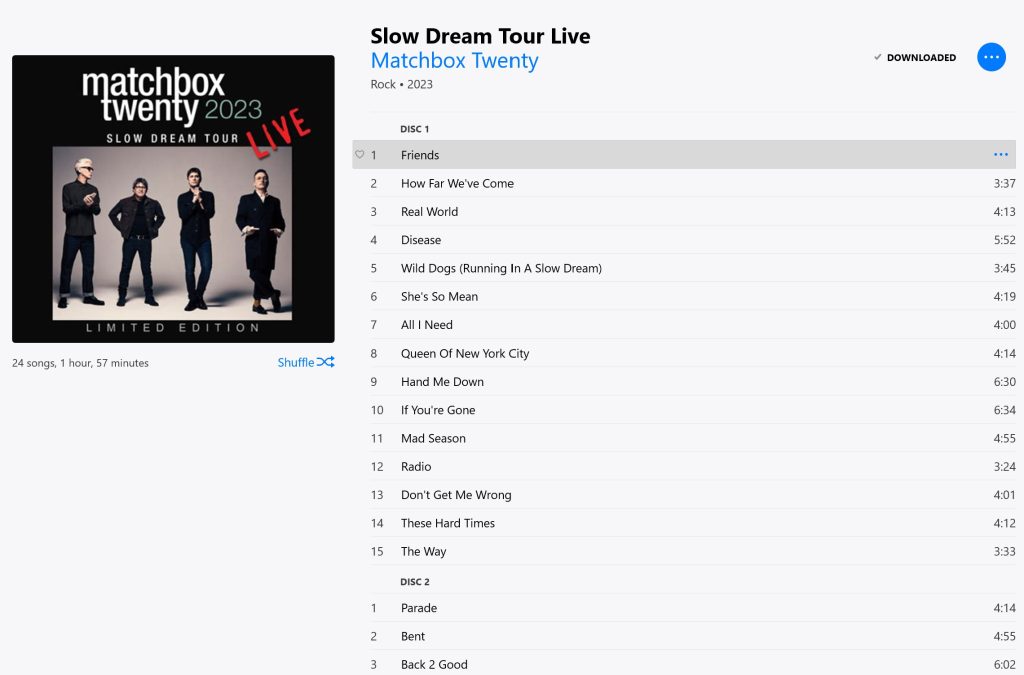
And with that, after more than 2 years I can finally listen to my favorite band’s live album from my iTunes library.
That’s alot of fiddiing! We down loaded a ton of cash using linex. It was just as bothersome and now most mediawate, iTunes etc won’t accept it.